What it is
The Pebble Workspace is our family of apps for the Pebble Time 2, a smartwatch with a color e-paper screen, four buttons, a mic and a heart-rate sensor. Most started as tools for Dan's own day. The Coach trio shows training and nutrition at a glance and logs weigh-ins, meals and workouts. Tubby is a little hot-tub creature whose mood comes from real water chemistry. Pigeon Post sends spoken notes to a server that sorts them into lists and reminders.
Try it
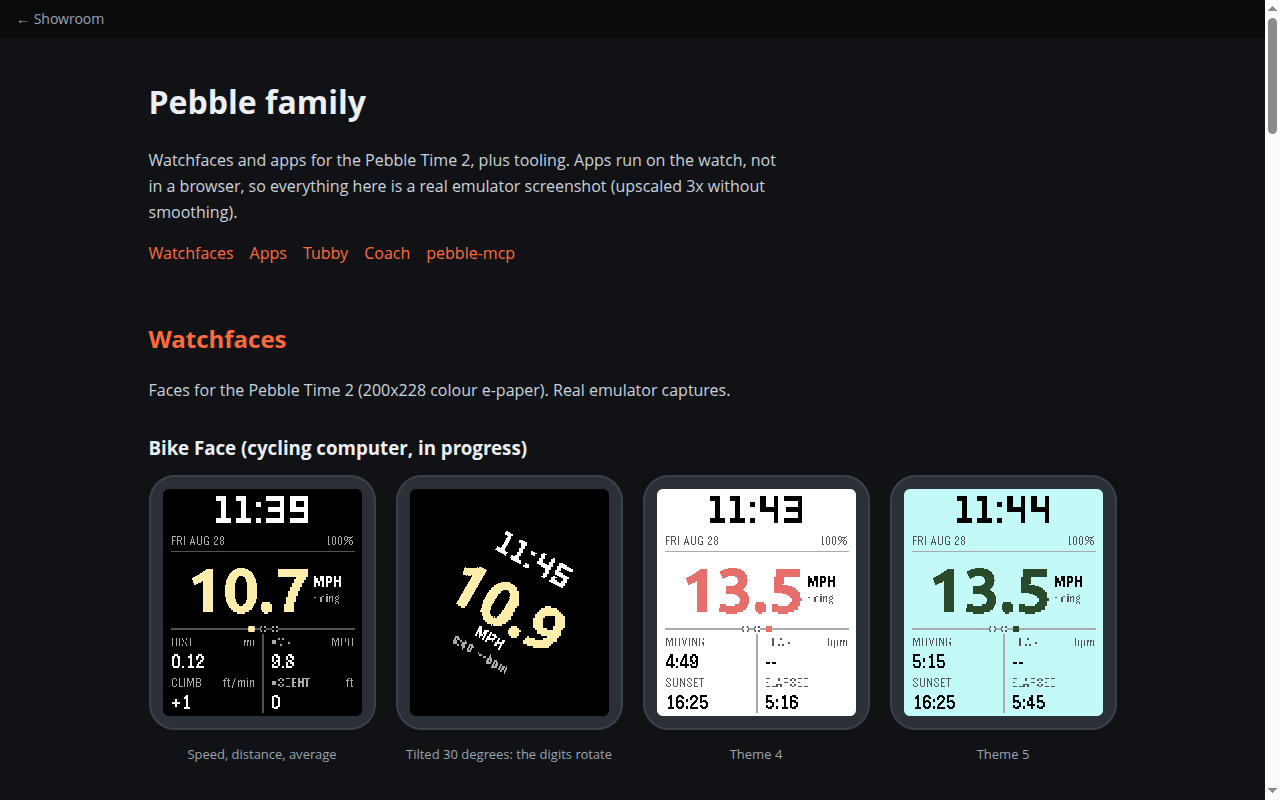
This is a screenshot gallery; the apps run on the watch, not in a browser. Every image is a real emulator capture, enlarged. Use the tabs across the top. Watchfaces shows the cycling face and the water-physics face. Apps shows small utilities: Pigeon Post dictation, Hail Watch, Tub Tracker and Glowstick. Tubby walks through the hot-tub pet: a new fill hatching, the daily meters, its moods with one-line reasons, a dose suggestion, a quick strip test and 30-day trends. Coach shows only the workout runner's non-personal screens. Numbers on screen are examples.
How it works
- Install an app on the watch from a packaged bundle.
- Set it up from the phone (logins and preferences live on a phone-side settings page).
- Use the buttons, or speak into the mic, to log a soak, a meal, a set or a note.
- The phone side sends data to the right server and brings results back to the watch.
What exists today
- Coach face, Coach Log and Coach Workout, running on the watch daily, with an offline queue for workouts
- Tubby, with a chemistry engine that predicts the tub's state over time, dose math and dozens of working screens in the emulator
- Pigeon Post dictation, a plain tub tracker, and prototypes: Spell Deck, Hail Watch, Glowstick
- Two faces in progress: a water-physics face and a cycling computer
- A tool that drives the emulator and builds a screenshot contact sheet
- Five packaged apps ready to sideload
What isn't there yet
- The Coach apps and Pigeon Post only work with our private servers
- Tubby's newest work sits in a separate copy and isn't merged back yet
- Several apps are prototypes with rough edges
- Nothing is listed in the Pebble app store
Under the hood
- Watch side in C with the Pebble SDK; phone side in JavaScript for web calls and settings pages
- Tubby's chemistry follows public pool-care guidance, with tests
- Builds and screenshots run in the Pebble emulator, often through pebble-mcp